

If you've spent any time around CNC machines, you've probably run into a SIMODRIVE 611. Siemens shipped these drives by the thousands, they're the beige or grey modules tucked into control cabinets, quietly running servo and spindle motors day in, day out. And for the most part, they just work. I've seen units from the early 2000s still humming along in three-shift operations.
But nothing lasts forever. When a SIMODRIVE 611 decides it's had enough, the machine stops, the operator calls maintenance, and suddenly everyone's staring at a red fault LED wondering what to do next.
This article is what I wish I had the first time I troubleshot one of these. No jargon for the sake of jargon, no 200-page manual, just the faults you'll actually see, what they mean, and what to do about them.
The faults you'll actually run into
After working with these drives across dozens of machine shops, a handful of fault codes come up over and over. Here are the ones worth memorizing.
F0001: Overcurrent. This is probably the most common one. The drive is pulling more current than it should, and usually it's not the drive's fault. Nine times out of 10, the problem is downstream, a motor winding that's starting to short, a power cable with worn insulation, or an axis that's binding mechanically. Before you touch the drive, disconnect the motor and check the windings with a multimeter. If they measure fine, manually rotate the axis and feel for resistance. I've seen a single chip jammed in a ball screw trigger this fault. Also worth checking: are the motor parameters in the drive actually matching the nameplate on the motor? You'd be surprised how often someone swapped a motor and forgot to update the parameters.
F0002: DC Link Overvoltage. This one tends to show up on machines that do a lot of rapid acceleration and deceleration, like pick-and-place or high-speed milling. When the motor brakes hard, it generates energy that flows back into the DC bus. If the braking resistor isn't doing its job, the voltage climbs until the drive trips. Check the resistor connections first (they vibrate loose over time), then measure the resistor itself. If it measures open, it's dead. If your line voltage tends to spike, common in industrial parks with heavy equipment, a line reactor upstream of the drive can save you a lot of headaches.
F0011: Motor Overtemperature. This one's usually straightforward: the motor is running hot. The SIMODRIVE reads temperature from a sensor embedded in the motor windings, and when it crosses the threshold, you get F0011. Start with the obvious, is the cooling fan actually spinning? Is the fan grille caked with dust? I've fixed more F0011s with compressed air than with a screwdriver. If cooling is fine, check the ambient temperature inside the cabinet. These drives are rated to 40°C, and in summer some shops push past that without realizing it. A failing temperature sensor can also trigger this, the KTY84 thermistor in Siemens motors should read around 580 ohms at room temperature. If it's wildly off, the sensor or its wiring is the culprit.
F0025: Encoder Fault. If the drive can't read the motor's position, it can't control it. F0025 means communication with the encoder is broken. The encoder cable is the prime suspect, these cables flex constantly, especially on machines with moving cable tracks, and the conductors eventually fatigue and break. Inspect the cable along its full length, paying special attention to where it enters connectors and where it bends. A shot of contact cleaner on the connector pins fixes more encoder faults than people admit. Less commonly, the encoder itself has failed, and if you have a spare motor with a known-good encoder, swapping it in is the fastest way to confirm. For HEIDENHAIN feedback specifically, see our guide to common HEIDENHAIN encoder problems.
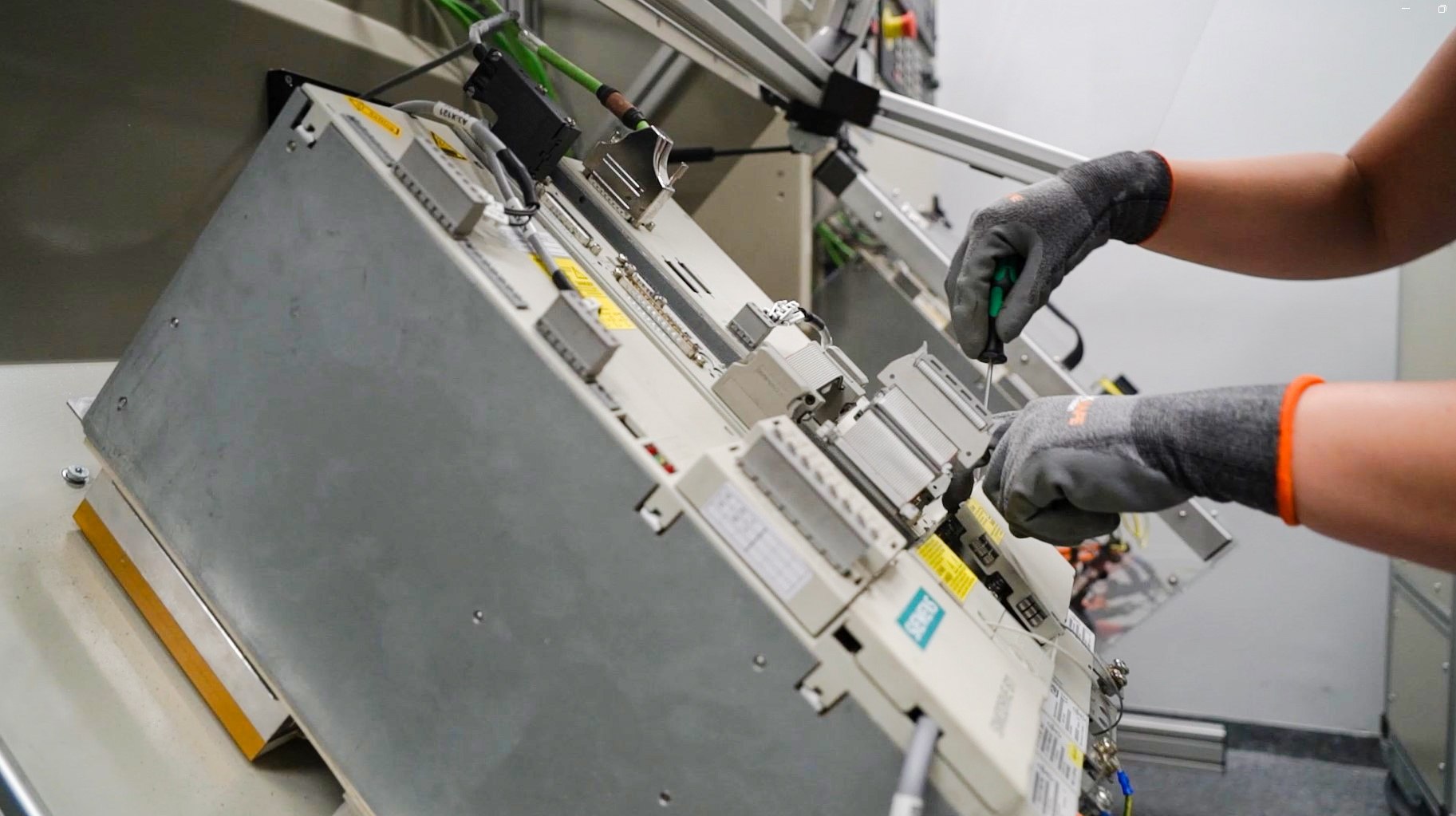
F0052: Power Module Not Ready. This is the one you don't want to see. The drive powers up but never reaches its ready state. It could be an internal fuse, a failed power supply on the control board, or worse, degraded IGBT modules. If you're comfortable opening the unit (and you should only do this if you're qualified to work on high-voltage equipment), check the internal fuses first. If they're fine, look for any visible damage, burn marks, swollen capacitors, that distinct smell of fried electronics. A persistent F0052 usually means the module needs professional attention.
Repair it or replace it?
This is the question that comes up in every breakdown: do we try to fix this unit, or do we just swap it out?
If the fault is something mechanical and accessible, a dead fan, dried-out capacitors, a blown fuse, and you have someone on staff who knows their way around drive electronics, repairing usually makes sense. It's cheaper and you keep a matched set of modules in the cabinet. Budget a week or two for the repair process.
But if the module has been through a serious event, visible burn marks, exploded components, that acrid smell of catastrophic failure, or if it's been in service for 15+ years and parts are getting scarce, replacement starts looking smarter. Catastrophic failures often cascade: the IGBT takes out the gate driver, which takes out part of the control board. By the time you've replaced everything that's damaged, you've spent more than a replacement would cost.
The other factor is downtime. Repairs take time. If your machine needs to be back online tomorrow, a tested used module you can install in a few hours might be the better call, even if it costs more than the repair estimate. Production losses add up fast.
Where to find a replacement that won't let you down
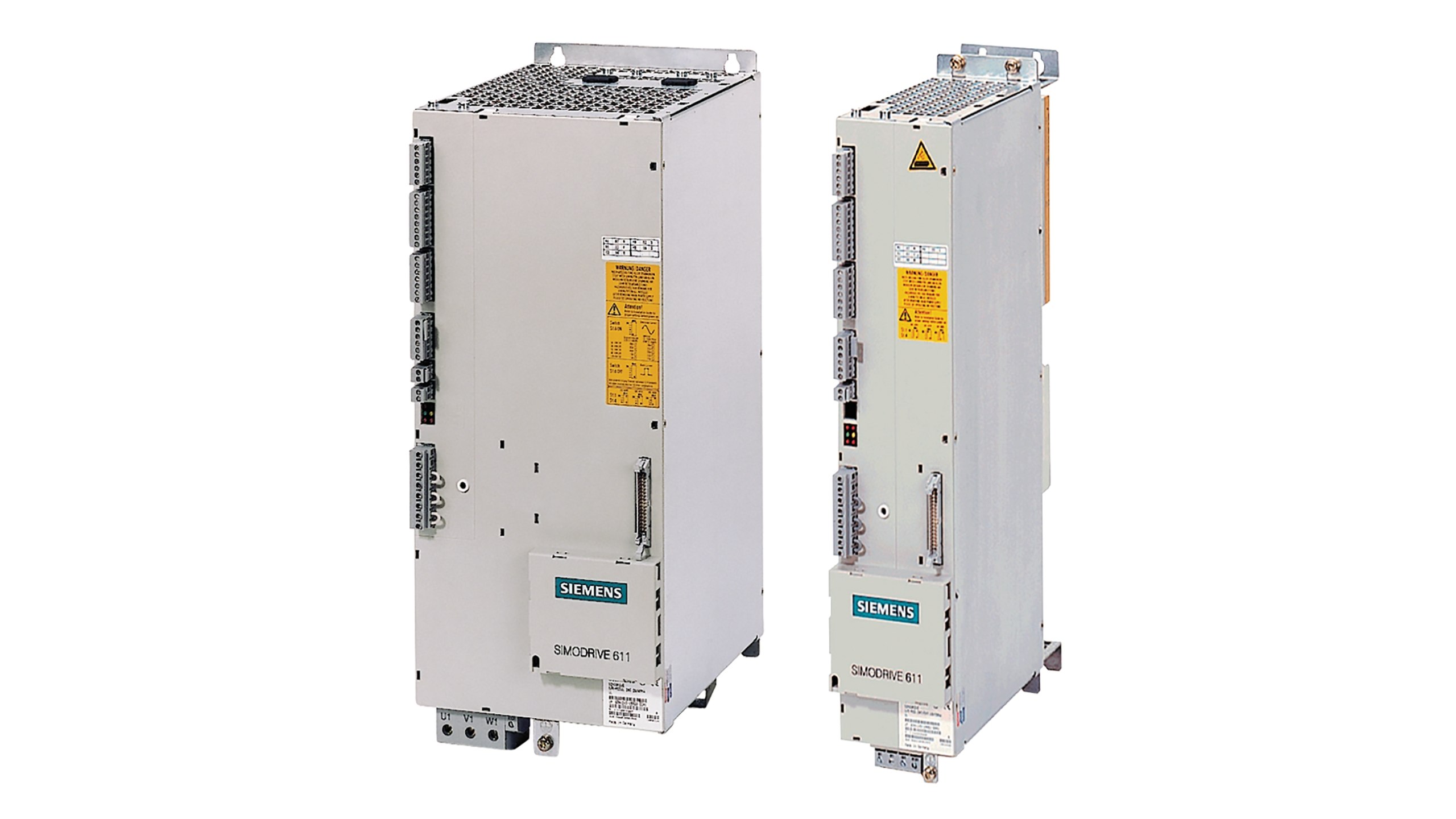
New SIMODRIVE 611 modules from Siemens are expensive, and some variants aren't even manufactured anymore. That's where the used market comes in, and honestly, for most shops, it's the smartest option. If you're new to sourcing second-hand, our buyer's guide to used industrial parts walks through how to do it safely.
A good used module runs 40 to 70% less than new, ships in days rather than weeks, and if you buy from a supplier who actually tests their stock, you get a warranty too. But you have to be careful. The SIMODRIVE 611 family has a lot of variants, LT modules, HT modules, UE, IR, different current ratings, and the part number needs to match exactly. Close enough doesn't cut it with these drives.
When you're buying used, ask three questions: Has this been tested under load or just powered on? What's the return policy? Are there any signs of previous repair work? A reputable supplier will answer all three without hesitation. If they dodge, walk away.
We keep a decent stock of tested SIMODRIVE 611 modules at Samonde, and you can browse what's available here, or see our wider Drives & Servos range. If you're not sure which part number you need, send us a message with your machine details and we'll help you figure it out.
A little maintenance goes a long way
Most SIMODRIVE failures aren't random, they're the result of heat, dust, vibration, or neglect building up over months or years. A simple maintenance routine catches a lot of problems before they become breakdowns.
Once a month, spend five minutes at the cabinet. Are all the cooling fans spinning? Is dust building up on the heat sinks? Are any of the fault LEDs lit when they shouldn't be? Small things, but they catch failing fans before the drive overheats, or spot a loose connector before it arcs.
Every few months, go a little deeper. Torque-check the power terminals, since vibration loosens them over time, and a loose connection creates resistance and heat. Inspect the encoder and feedback cables where they flex. Take a DC link voltage reading and compare it to your baseline; a drifting voltage often signals aging capacitors.
Once a year, do a full parameter backup. Save every drive parameter to a file you can reload if needed. It takes 10 minutes and one day it'll save you hours of re-commissioning after a module swap. While you're at it, skim the error history log, patterns in the faults tell you what's developing before it becomes urgent.

The bottom line
The SIMODRIVE 611 earned its reputation honestly. It's a tough, modular drive system that keeps running long after most of its contemporaries have been scrapped. But it's not invincible, and when it does trip, knowing how to read the fault codes, and having a plan for what comes next, is the difference between a minor inconvenience and days of lost production.
Keep it cool, keep it clean, keep a spare on the shelf if you can afford it, and when something does go wrong, don't panic. Most SIMODRIVE faults are fixable. The rest are replaceable.
Related reading: Siemens SINAMICS fault codes, common HEIDENHAIN encoder problems, and why used Siemens HMI panels make sense. For official fault and parameter documentation, see Siemens Industry Online Support.
Need a SIMODRIVE 611 module or help identifying the right part? Browse our SIMODRIVE collection or get in touch, we'll help you get your machine back online.


